cleanyour.tv · Android app
Community app for Clean Your TV
Clean your TV from your phone
No laptop. No coding agent. Open the app on your Android phone, tap Start, and the ads and bloat are gone in about five minutes.
- Android 9+
- MIT
- Open source
- 131 TV models · 46 brands
 Built by udhaykumarbala for the communityBuilt on Clean Your TV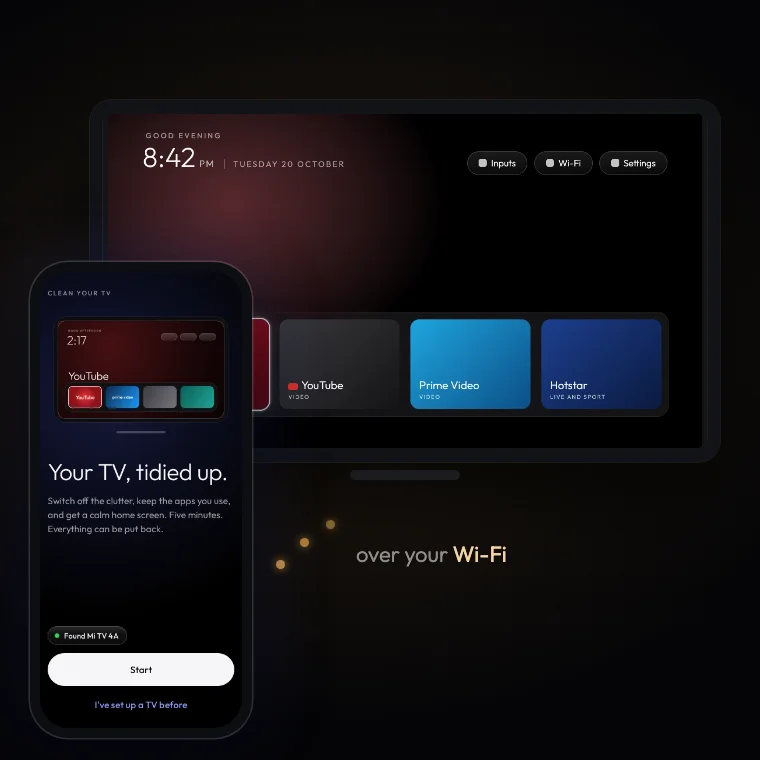
01Watch it clean a TV
02Three steps, about five minutes
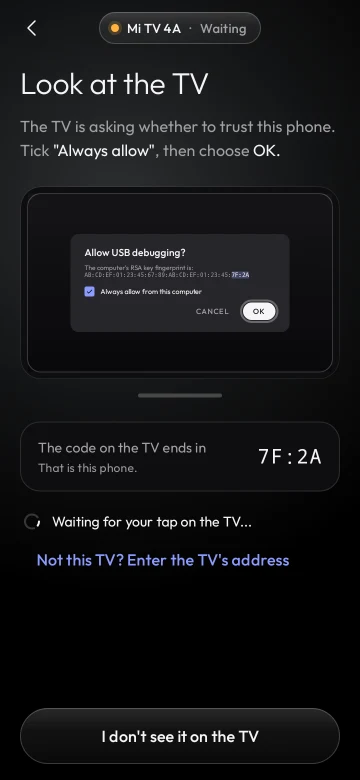 1ConnectAbout a minute
The app finds your TV on the Wi-Fi and shows you how to let the phone in with the remote.
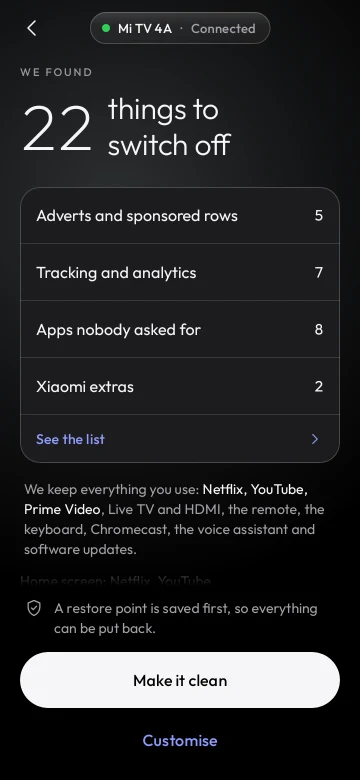 2AnalyseNothing changes yet
It reads what is on the TV and shows the plan: what goes off and what stays.
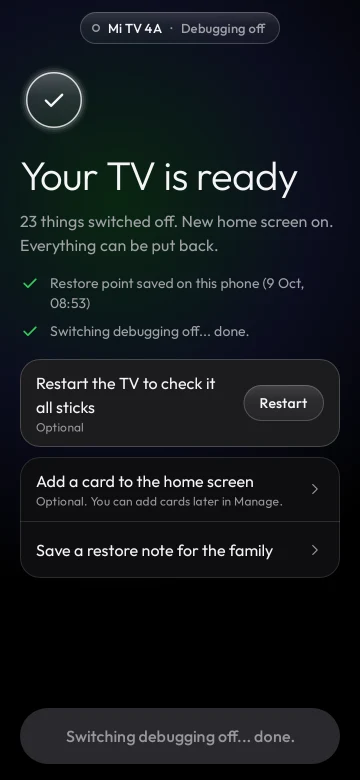 3CleanA restore point first
Tap “Make it clean”. The clutter goes and the new home screen comes on.
Come back any time to put an app back, check for leftovers after a TV update, change the dock or the look, or undo everything.
03How it works
Safe by design
- Plan first. Nothing runs until you have seen it and tapped.
- Restore point. Saved on your phone before the first change.
- Nothing is uninstalled. Apps are only switched off, so every one can come back.
- Undo anything. One app or everything, any time.
- A watchdog on the TV puts its own home screen back if the phone does not confirm within 150 seconds.
What it keeps
- Your apps: Netflix, YouTube, Prime Video, live TV and the HDMI inputs.
- The basics: Wi-Fi, the remote, the keyboard and the parts Android needs to run. The app never touches them.
- Casting, the voice assistant and software updates stay on too, unless you choose to switch them off.
What you need
- An Android phone with Android 9 or newer and a screen lock.
- An Android TV or Google TV on the same Wi-Fi as the phone.
- Network debugging switched on in the TV’s settings. The app shows you where, step by step, and switches it off again at the end unless you keep it on.
Not for Samsung, LG or Roku. Those TVs do not run Android, so the app cannot work on them.
Your TV, tidied up.
Free and open source (MIT). It carries the same launcher and the same community TV lists as Clean Your TV.
Google Play and F-Droid versions are on the way.
A community-built app by udhaykumarbalaBuilt on Clean Your TVNo accounts, no analytics, no ads: read the privacy policy. Something wrong in the app? Open an issue in its repo. About Clean Your TV itself, see the FAQ.